Search and view investor
To search for an investor click on the 'Investors' menu item and the search field will appear at the top of the page.
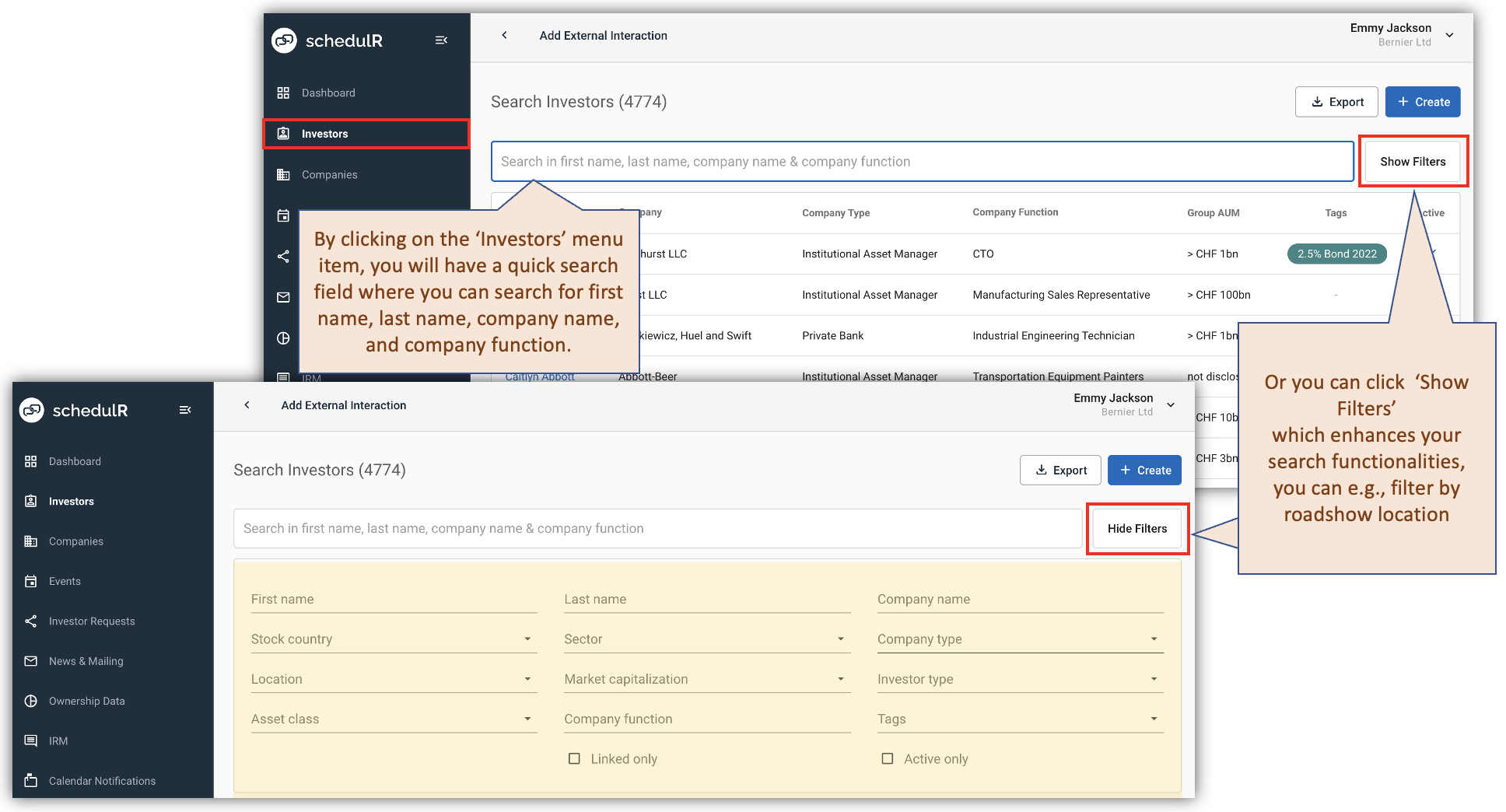 Figure 3.1 –Search and view investor
Once you have found the person you are looking for, you can view the details. These will always include the past interactions your company had with this specific investor, and interactions with other investors from this company(automatically all schedulR organized events + all interactions migrated by us or added by you). It will also display a link to your last meeting notes of the respective meetings (if someone from your organization added such notes).
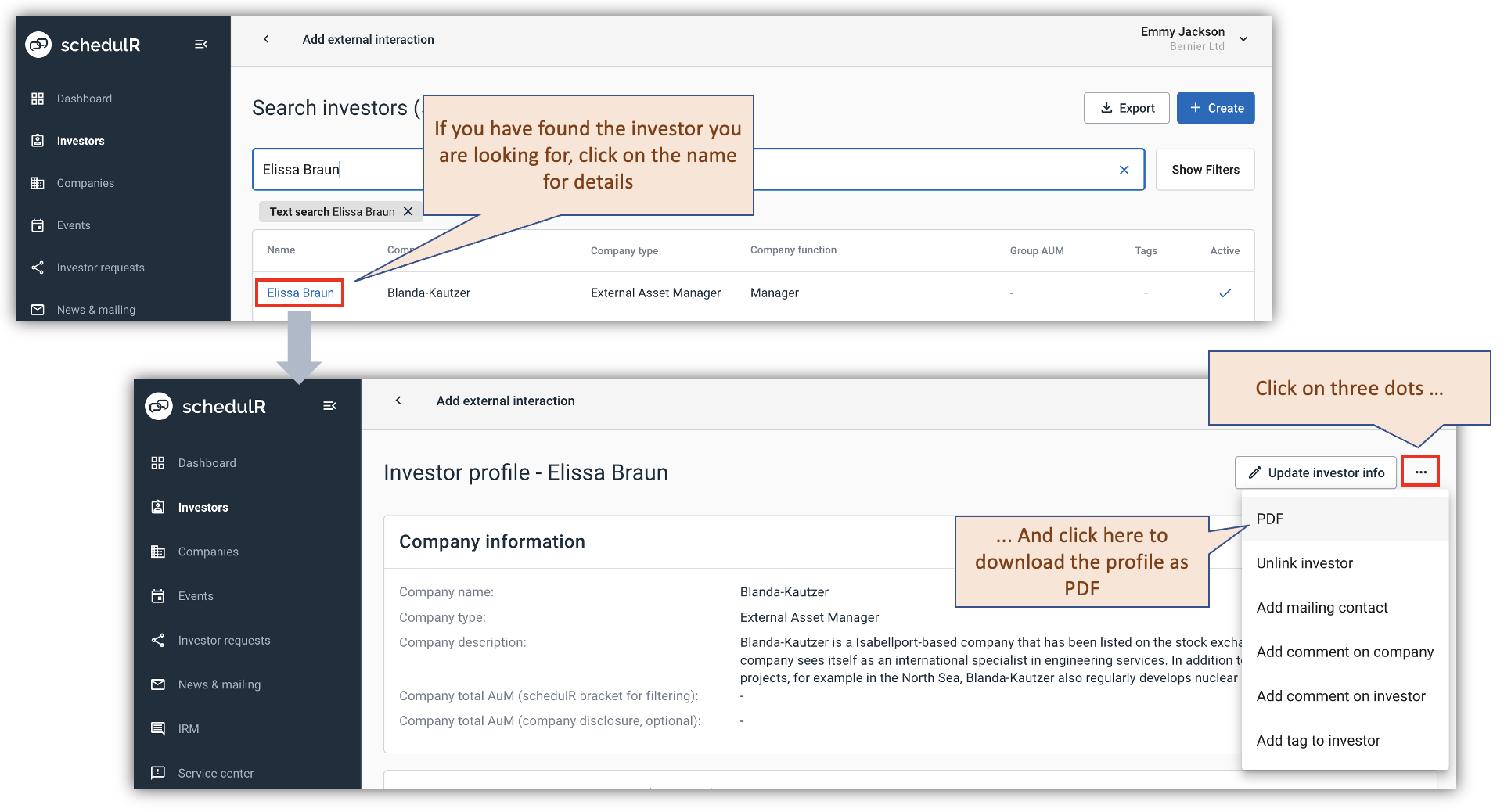 Figure 3.2 – Search and view investor