Add a new investor – Base case (email does not exist)
There are two possibilities how to add a missing investor.
Firstly, you want to add an interaction manually, realize the investor you met, is missing and need to add him
first. This case is covered in section Add ‘non-schedulR’ meetings & notes to your IRM. Content wise the process is however identical to the one described below, just with different start and endpoints.
If you want to add a user (to have him on the linked investors list) you must go to ’Investors’ and start the
process from there.
 Figure 3.3 – Add new investor – Create Button
In a first step you will have to enter the email of the new investor.
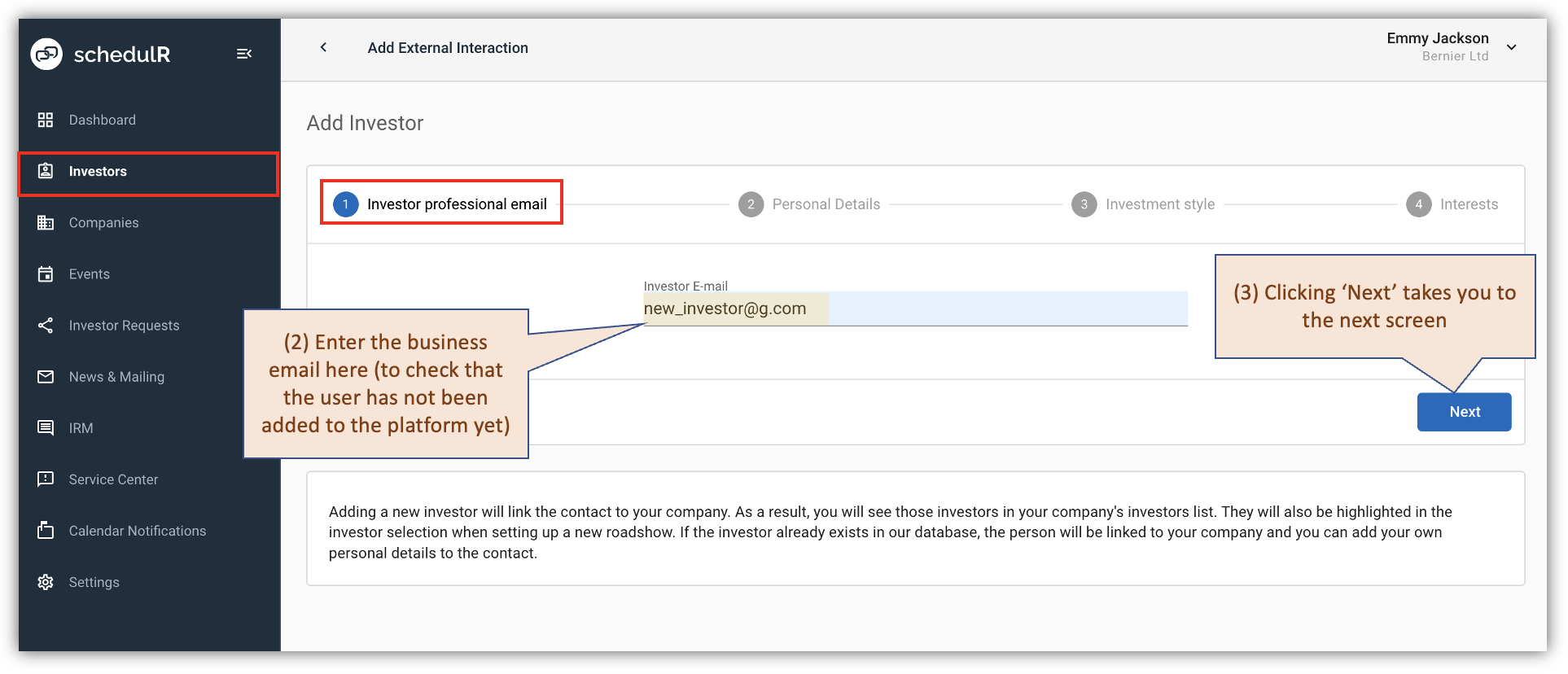 Figure 3.4 – Add new investor – Screen 1
With that information schedulR will check if the email already exists on the platform (there are two possible
reasons for that – details on that in Section Add a new Investor – Special case (email already exists)
For now, however, we will look at the base case: The email you entered is not on schedulR yet. In that scenario
you now will be asked to provide some more details on the new investor, most fields however are not
mandatory, but optional. On that screen you also have the option to ‘hide’ a new investor.
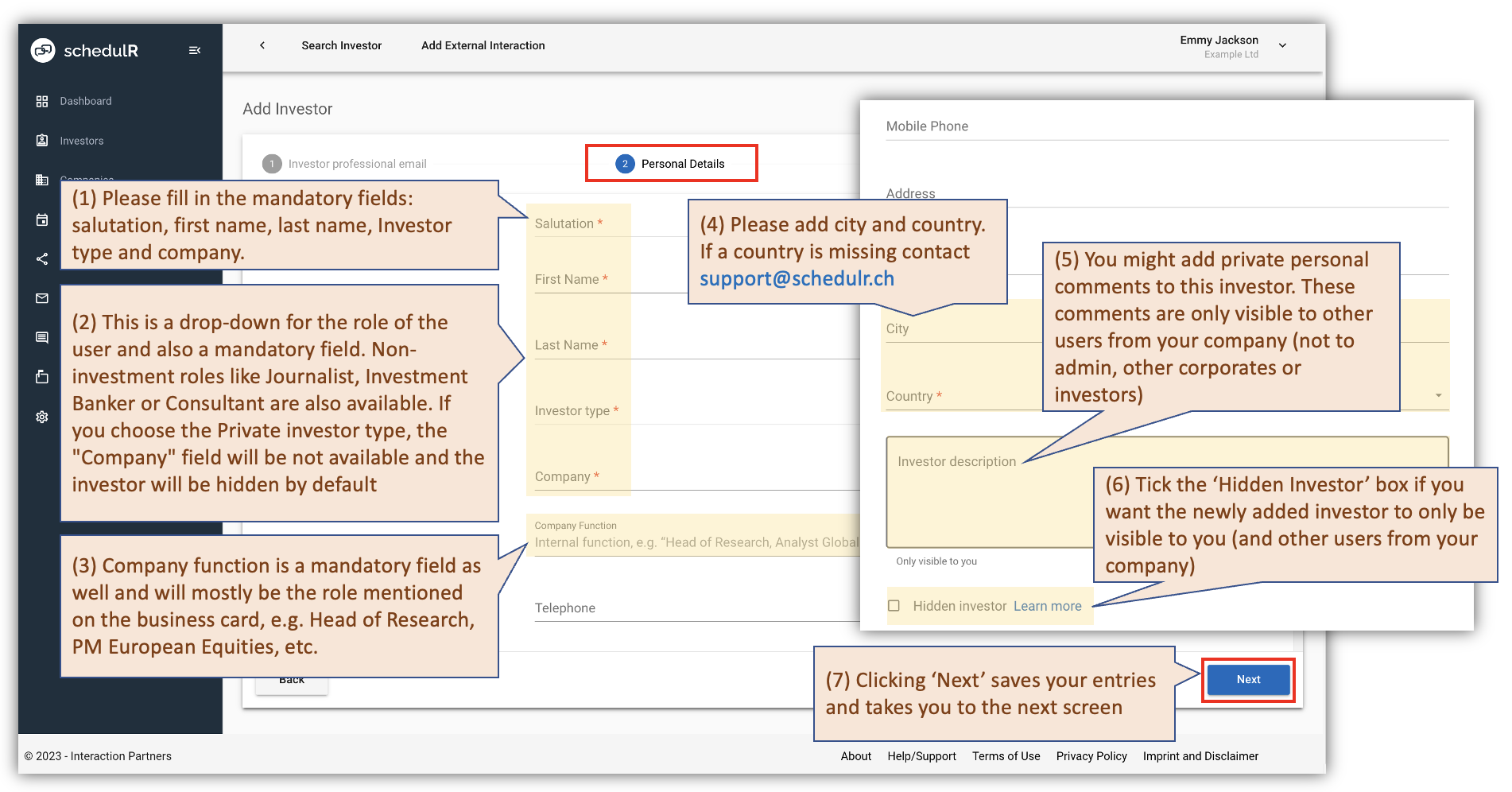 Figure 3.5 – Add new investor - Screen 2
‘Hidden investor’: Most institutional investors will be known to many issuers and information about them is
publicly available (Bloomberg, Internet, IPREO, Nasdaq IR, FactSet). Still, there might be special cases where
you may want to add an investor that is only visible to you (and not the Admin, not other corporates).
An investor remains hidden unless one of the following happens:
- Self-registration: Hidden user signs up to schedulR on his/her own
- Interaction request: The hidden investor requests an interaction via schedulR with another company (with
which the investor is not linked yet). - Manual unhide by corporate: An issuer might decide to unhide an investor.
- Manual unhide by SuperAdmin: If a regular Admin is organizing an event and during the respective
targeting exercise stumbles across a hidden investor (as e.g. on FactSet, Internet) and then tries to add
that investor, he will not be able to do so and get a message ‘investor hidden’. He can then reach out to a
SuperAdmin who will be able to unhide this investor. ‘Unhiding’ by a Super Admin needs to come with a
written reasoning and will be logged on schedulR (who and why).
‘Privat investor’: In some cases, it is necessary to add an investor who does not have a company. To do this, in
the “Investor Type” field, select "Private investor". Please note that the private investor will be hidden by
default. If you change the type of investor from private to any other, there is no possibility to switch back to
private.
Moving on with our base case (investor = new). On the next screen you can – but you do not have to - add
additional information about the investor. None of the data fields are mandatory, i.e. you can just press ‘Next’
as well.
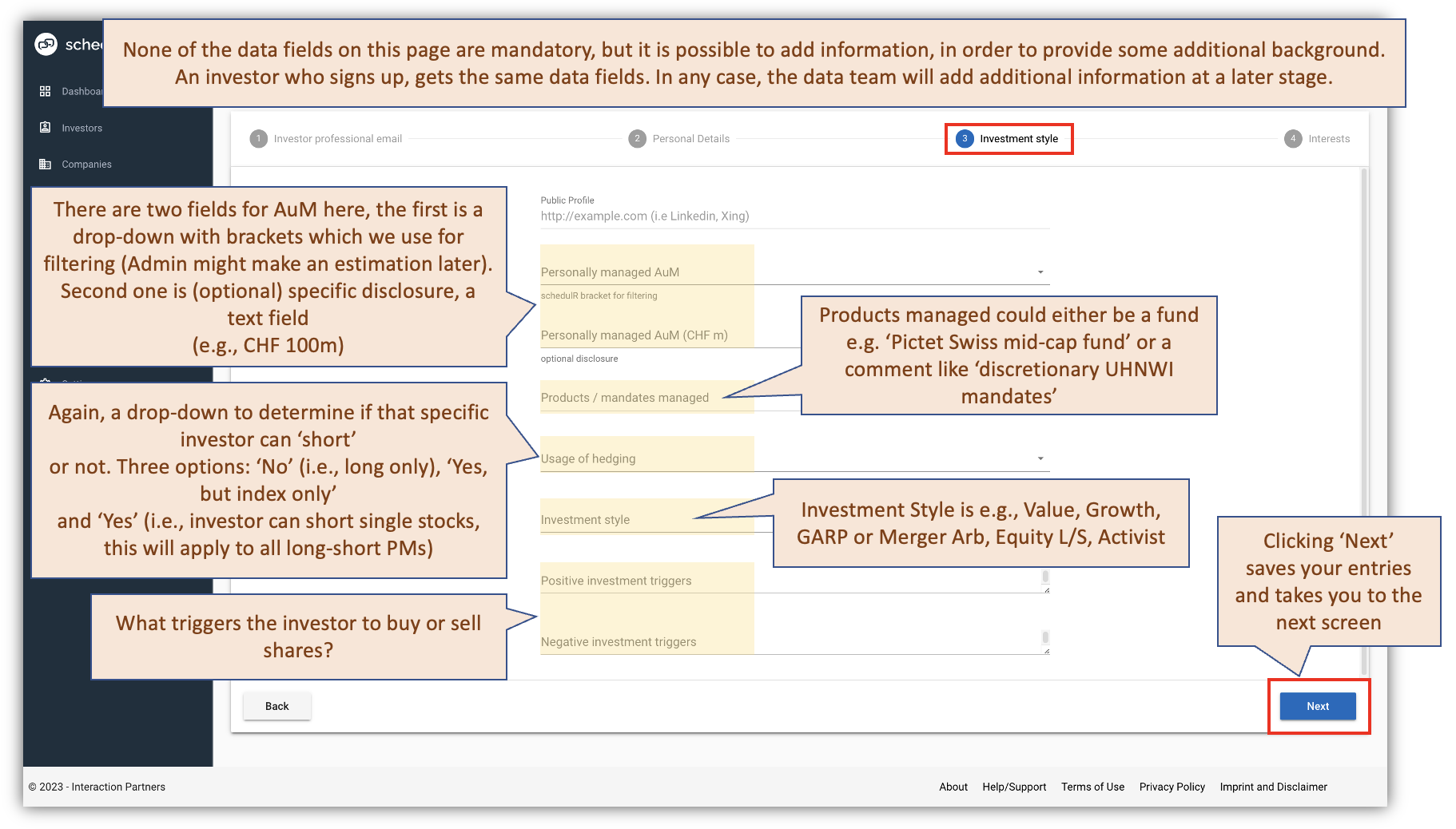 Figure 3.6 – Add new investor – Screen 3
On the next & final screen you can further modify investor data, but as mentioned above you can also just save
the investor profile, which is then linked to your company (i.e. added to your list of ‘linked investors’).
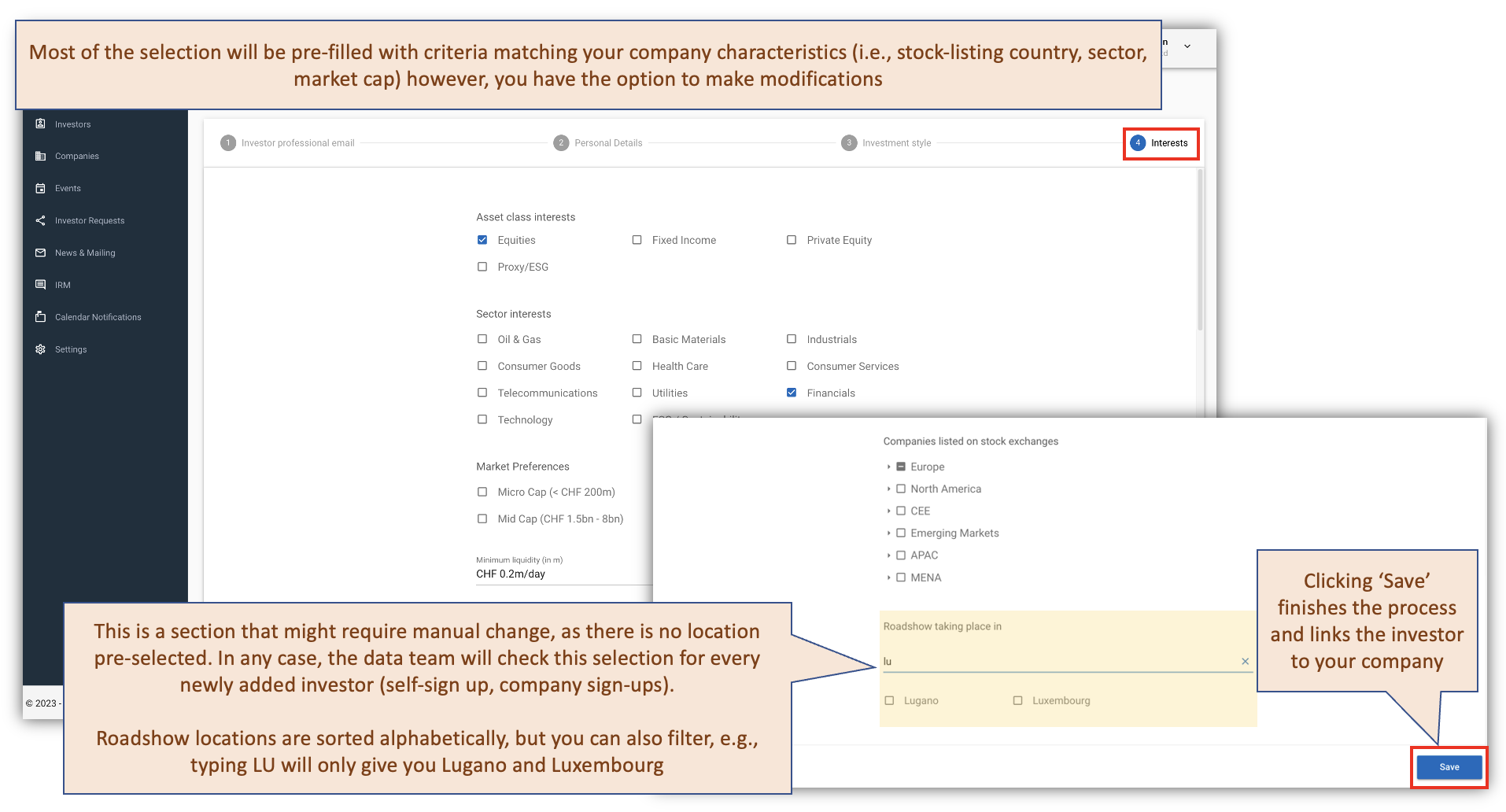 Figure 3.7 – Add new investor – Screen 4