Ownership Data
In the upcoming screens, we'll guide you through the process of adding data and show you where you can access crucial information. This includes details like investor profiles, allowing you to see if investors own shares in your company. Additionally, you can track IR reporting metrics, such as the number of meetings with investors and the time spent on existing investor relationships.
Currently, the responsibility of adding this data lies with you. However, if you prefer, you can authorize us to handle this task for you.
Adding the number of your shares
To begin, add the number of your shares by navigating to the Company Settings page, as illustrated in the image below.
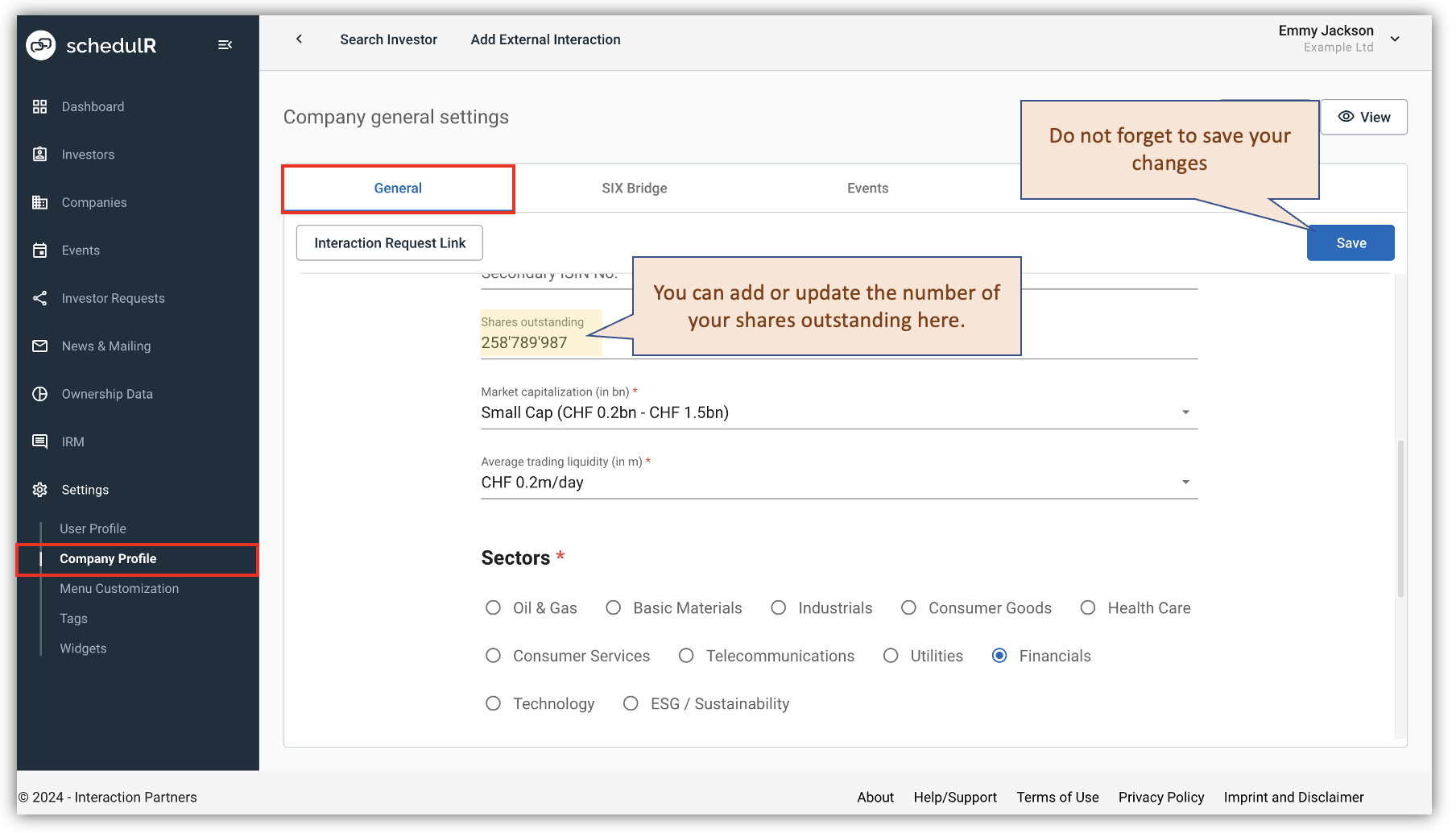 Figure 14.1 – Adding – Shares
Navigating the Ownership Data Menu
The following screens will illustrate how your ownership data page may look and how to add or edit shares, including the number of shares and their corresponding dates.
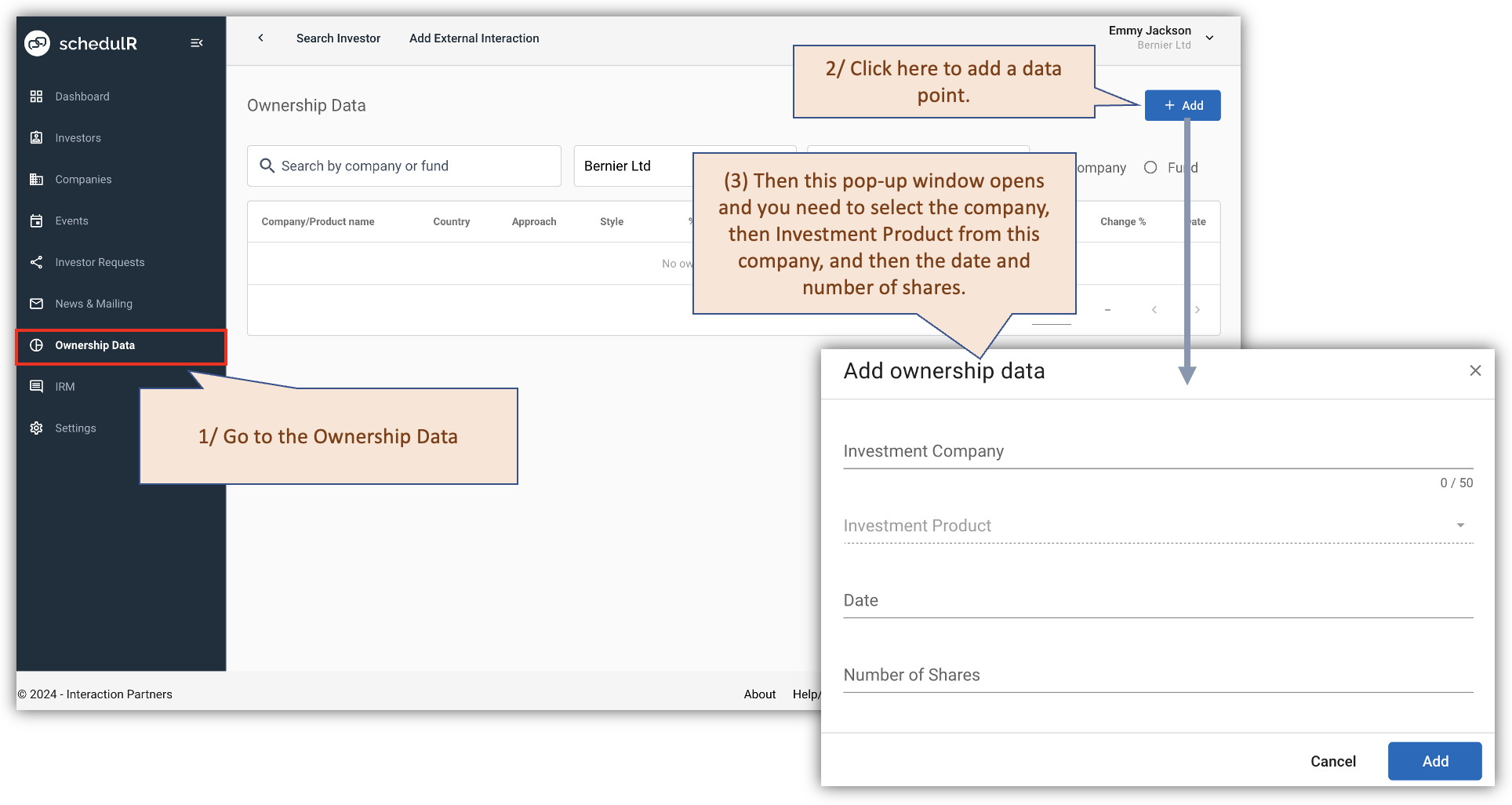 Figure 14.2 – Data point – Add new
After you add ownership data, you will see updated page
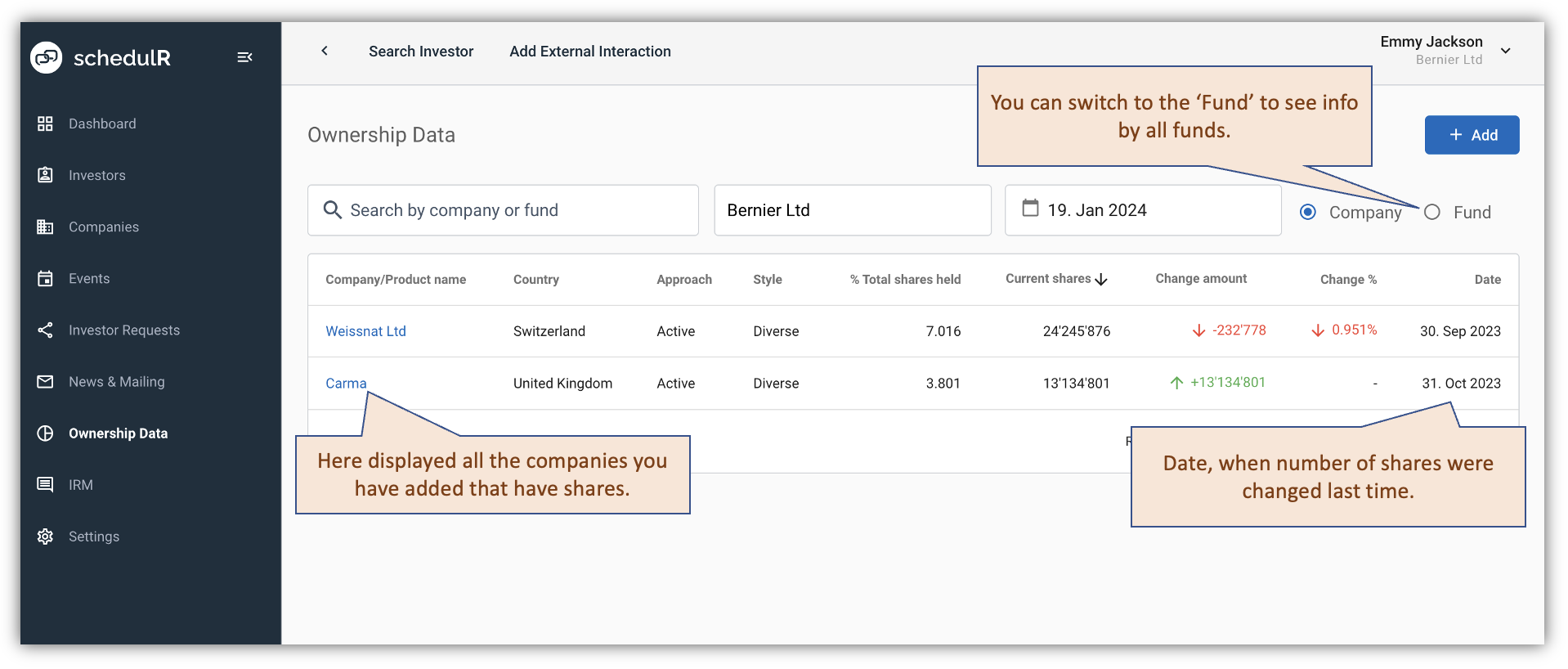 Figure 14.3 – Ownership Data – Overview
Investment Company Details Page
After clicking on the company name on the Ownership Data page, you'll be directed to a page displaying detailed information about the shares and funds associated with that company. See the details below.
 Figure 14.4 – Investment Company Page
Editing and Deleting Shares Entries
 Figure 14.5 – Editing and Deleting Ownership Data
Ownership Data on the Investor View Page
The ownership data will be visible on the investor profile, including a PDF version. Below is a figure illustrating how this data appears in detail.
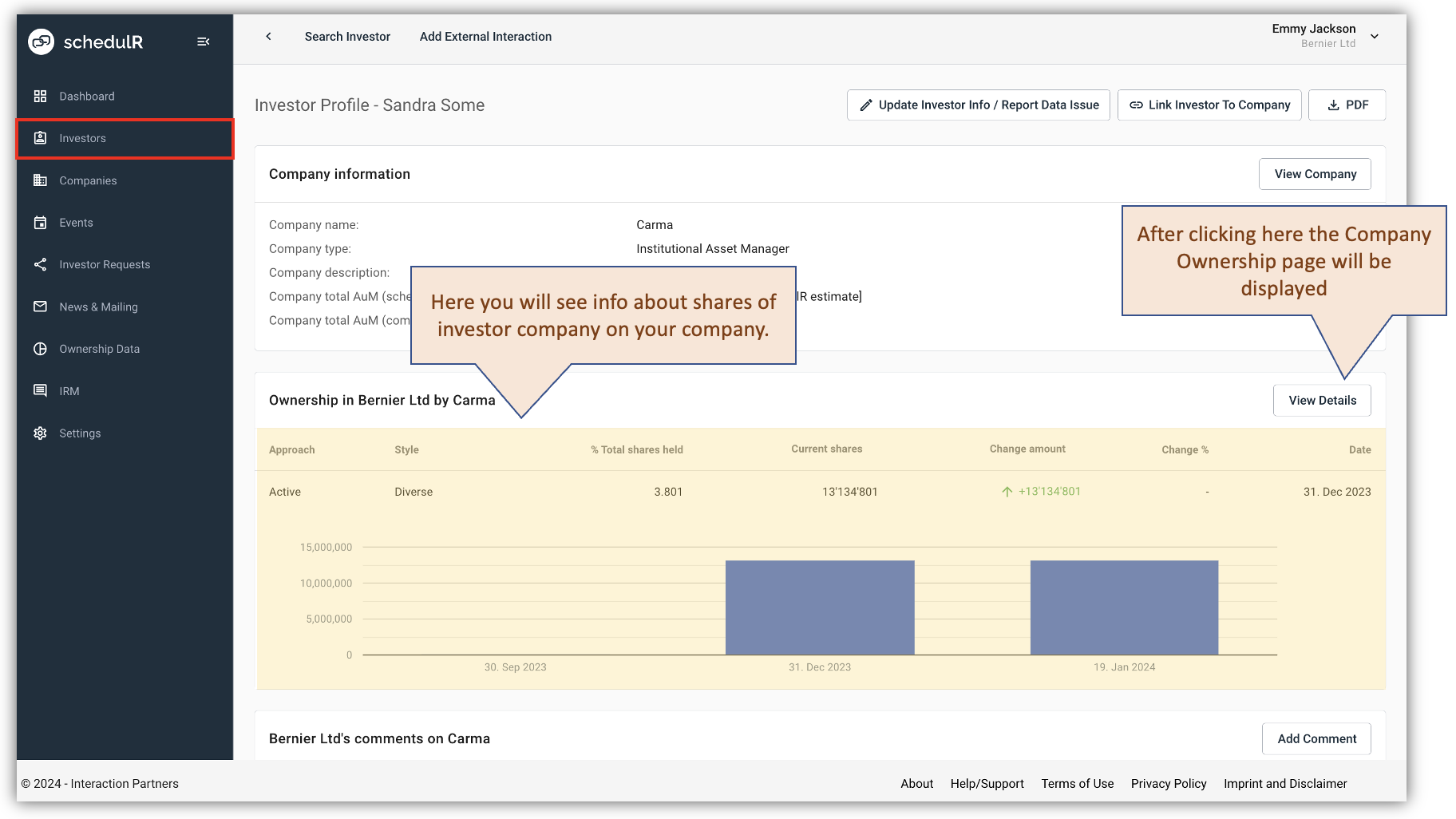 Figure 14.6 – Ownership Data - Investor profile -1
If the investor is a fund manager with your shares, you will find that information on the investor profile.
 Figure 14.7 – Ownership Data - Investor profile -2
Ownership Data on the Company View Page
 Figure 14.8 – Ownership Data - Company profile
Ownership Data on the Event View Page
On the event view page, you'll notice a 'shareholder' tag next to investors from companies that hold your shares. This tag will be visible on all associated PDFs as well. Additionally, the event viewing page will provide information about the percentage of your shares covered in the event. This percentage accounts for the sum of shares from all companies with investors at the event, not individual investors.
 Figure 14.9 – Ownership Data - Events
To see how ownership data displayed on the IRM analytics go section Generate an IR Activity report (IR Analytics).