New Campaign – Editor - 1-click booking links (IRM/Event integration)
We have built an integration between the Mailing Tool, the IRM and the Events Module that we like very
much. We call it the 1-click booking link. Here is how it works
You are setting up an event, e.g. an investor day in schedulR. You do not want to send out the invite via the
schedulR Event module, as you want to have more freedom with respect to design and recipients. To achieve
that you can create the invite as a mailing campaign and the add a sign-up link to the event in that email. If a
recipient clicks on the link the following will happen:
- If the recipient of the email is already registered, he will be booked into the slot with 1-click and will
receive an automatic confirmation email with calendar files attached. - If the user is not on schedulR he must go through a short sign-up (including a logged opt-in to our
terms of use and acknowledgement of our data privacy policy = GDPR compliance) then the process
continues like for registered users - The investor participation will be logged in the IRM and for this event, i.e. very convenient if you for
example want to collect feedback as well.
Below is a step-by-step description how you can integrate 1-click-booking links into your campaign.
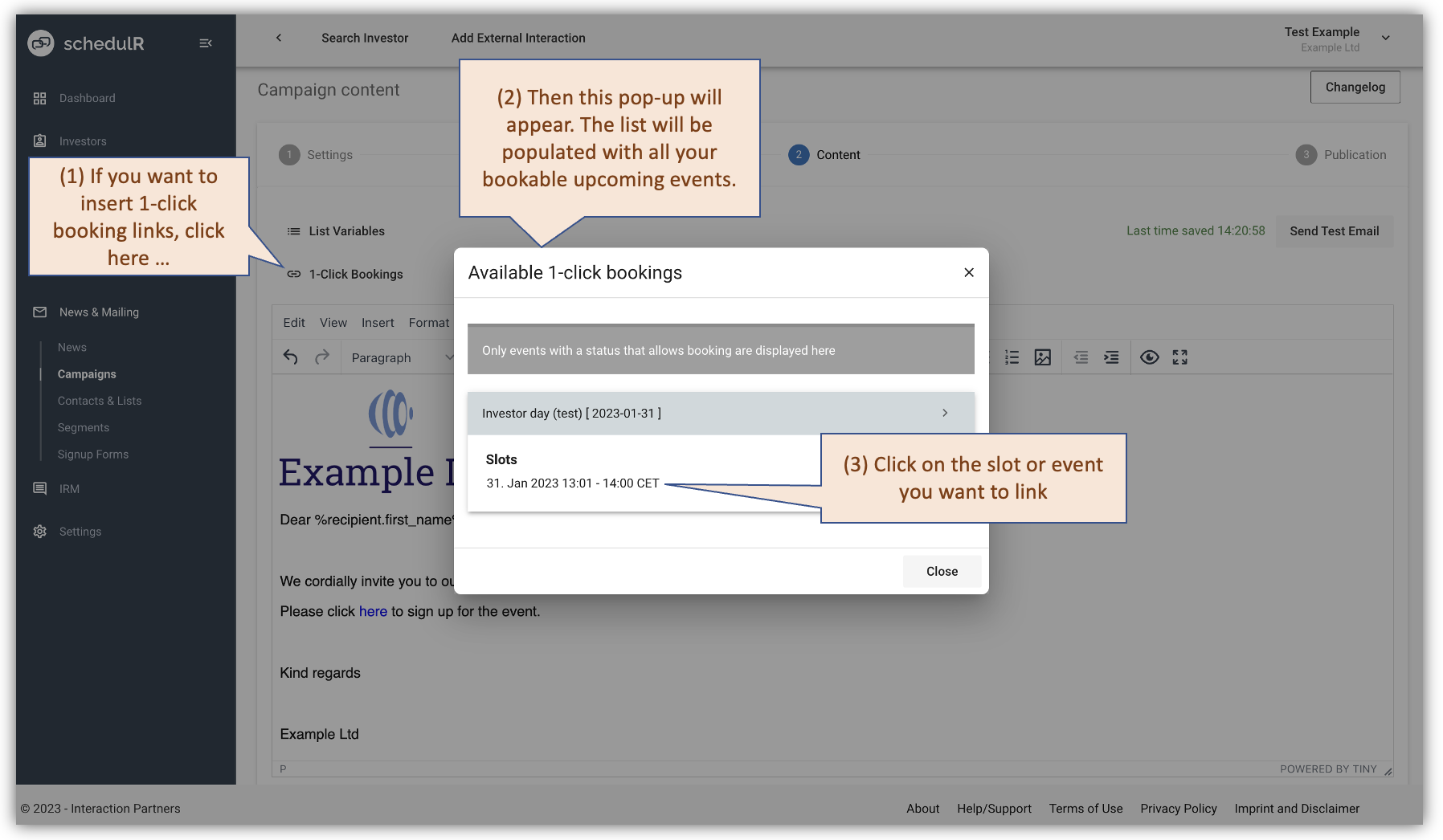 Figure 11.3 – Campaign - Content – 1-click booking link – (1/2)
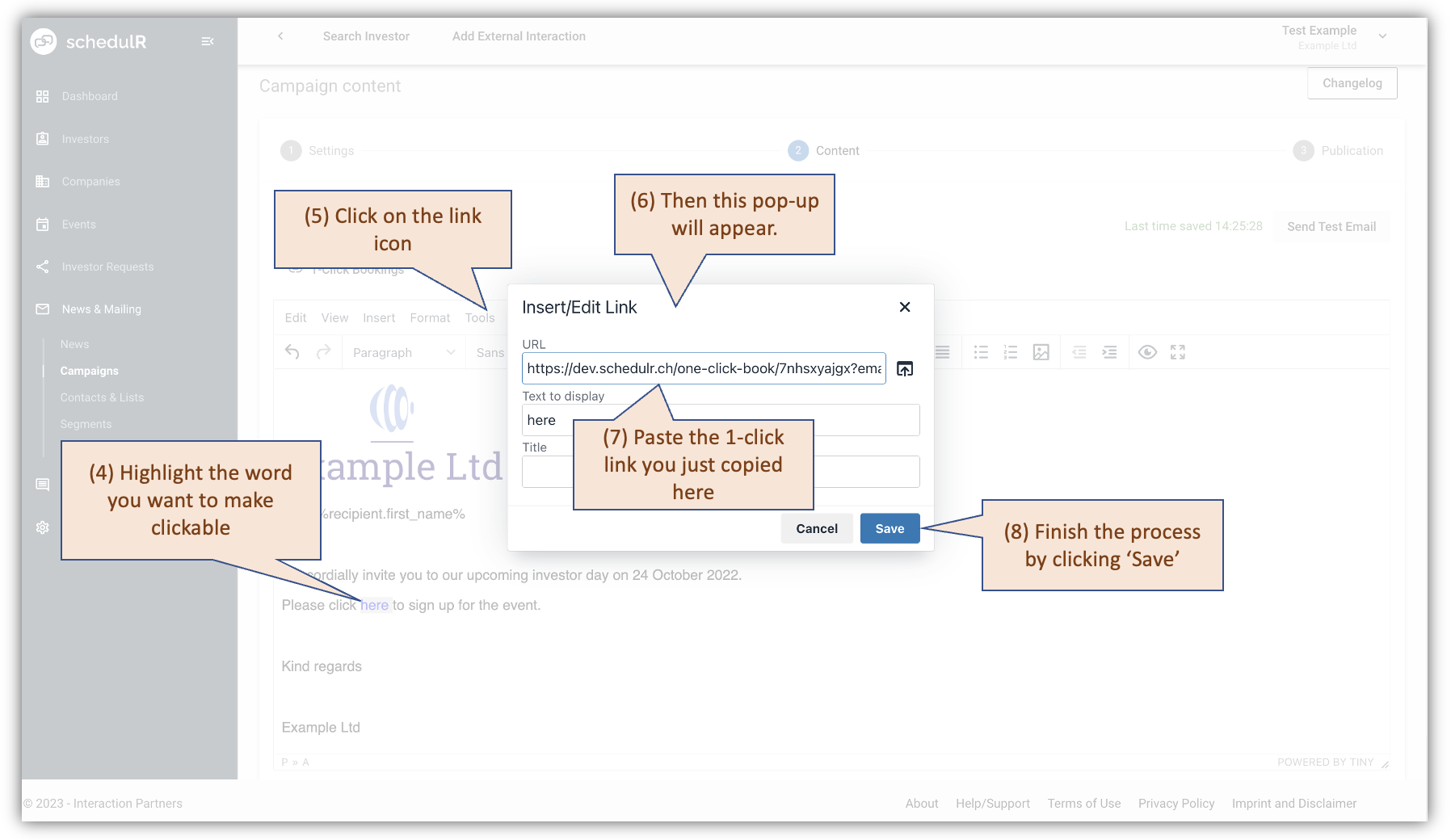 Figure 11.4 – Campaign - Content – 1-click booking link – 2/2
Remark: This approach can also be used to invite for events with several slots. In case an event has several
bookable slots, you will have several links available, one for each slot and one for the event. In the latter case
the recipient will not be directly booked into the slot, but he has to pick a slot first, in that case it will be a 3-
click-booking.
Testing 1-click booking links**:** It generally is a good idea to test functionalities like personalization and 1-click-
booking links before sending it out to hundreds of people.
For testing 1-click booking you build your personalized ‘test distribution list’ that probably only includes your
personal email. You are then sending the campaign to that list and check if the link works, i.e. by clicking it you
should be directly booked into the slot and receive a confirmation.
Some issues users have encountered while testing, that should be kept in mind
- Pre-view emails will not work for testing personalizations and 1-click booking links. You must send an
actual campaign. Clicking on the link in preview email will give you an error message - If you have sent the campaign to your private email and you click on the link in a browser where you
are currently logged in as corporate user (i.e. with your corporate email) you will also get an error
message.