Set your initial password
Initially, an Admin will set up every new Corporate user and assign the agreed on ‘role’ (permission level, service
level agreement). Since we strictly respect your privacy, we do not create an initial password for you. Therefore,
the user needs to create a password by following the steps described below.
Go to https://app.schedulr.ch/password/email, enter your email address and click on ‘Reset’ to receive the reset
link. Check your inbox for an email sent by events@schedulr.ch, titled ‘Reset Password Notification”, open the
email and click on ‘Reset Password’.
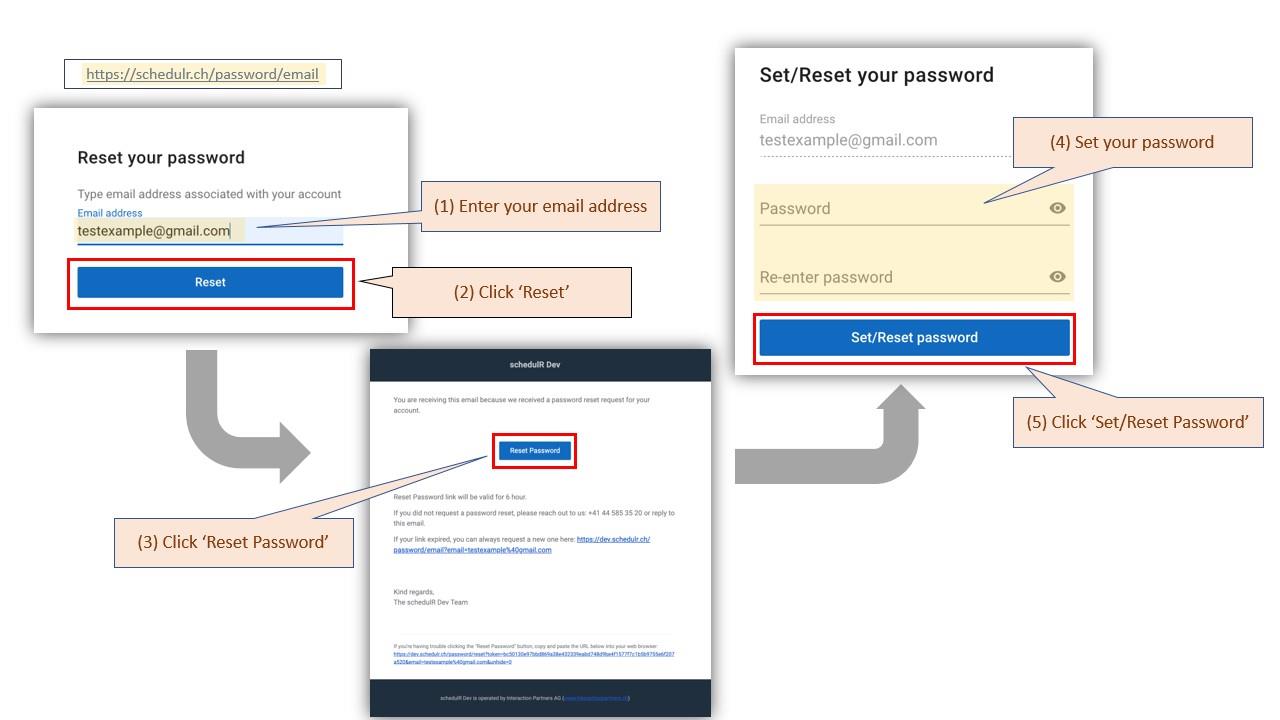 Figure 2.1 – Set/Reset Password